1. Open up this page and download Glass2k! Note: Make sure you have a powerful graphic card (GeForce 3 or more is recommended) that is able to display the effects smoothly. 2. On the start you will see the Settings-dialog. We recommend to enable Auto-Load Glass2k every time Windows starts if you wish to keep the transpareny without enabling it manually. Furthermore is is recommendable to save your settings automatically: Enable Auto-Remember every windowss Transparency Settings to do so. 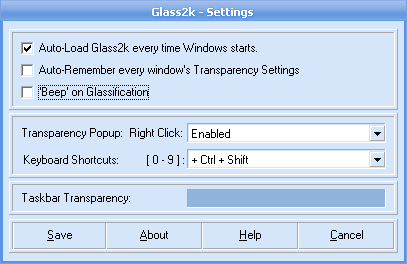 3. Click on Save if you intend to leave the settings that way. To change the transparency strengt, right-click on a window frame or an application and select the desired setting: 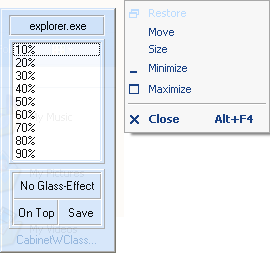 4. Another easy way: Click on a window or an application to activate it. Press CTRL+Shift+0-9 to change the transparency:  See, youre closer to the future than you expected... |