


Quick overview:
The mainboard (also known as the motherboard) of a computer is one of the most important components. Of course, it also has its own drivers, but these are often neglected by beginners and professionals alike. The so-called chipset consists of various devices such as the hard disk controller (e.g. IDE and SATA), onboard network (LAN) or USB controller. And it is often the communication between these devices that causes the worst problems. Although Windows Vista provides drivers for the motherboard components, these are still as of November 2006 (completion of Vista) and are not always particularly stable and fast.
Chipset drivers from the mainboard manufacturer?
You don't have to ask the manufacturer individually for each motherboard or search through their (often totally branched) manufacturer's website. Although you will also find chipset drivers there, these are not always up to date - so it always helps to compare! For example, if you have a motherboard from Asus, simply visit the page http://support.asus.com/download/download.aspx?SLanguage=de-de and type in the name of your mainboard (e.g. Asus Striker Extreme).
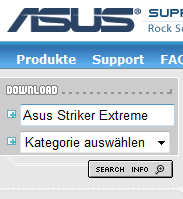
In our example, we even found a newer version (1.16) than the official nVidia drivers at Asus. Asus has probably taken the official chipset drivers and modified them specifically for the motherboard!
Chipset drivers from the chipset manufacturer!
The best address for chipset drivers is the manufacturer. Fortunately, there are only three major manufacturers: nVidia, Intel and VIA.
nVidia: Visit the page http://www.nvidia.com/content/drivers/drivers.asp and select your chipset. If you do not know the chipset, simply enter the name of your mainboard in a search engine, open the manual or check the product specifications on the manufacturer's website!
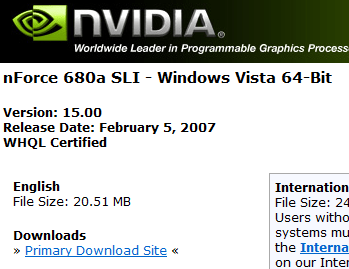
The latest chipset drivers for nVidia's nForce 680a SLI chipset!
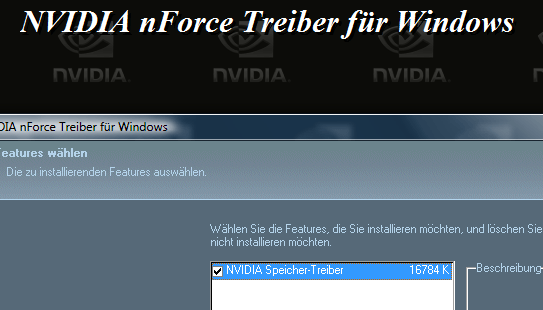
Intel: With Intel you have to click through a little more, but under http://downloadcenter.intel.com/Detail_Desc.aspx?agr=N&ProductID=&DwnldID=10884&strOSs=OSFullName=&lang=deu you will find the so-called Intel Chipset Installation Utility. If this link does not work for you at the moment, you can also access it via www.intel.de (support and downloads) on this page!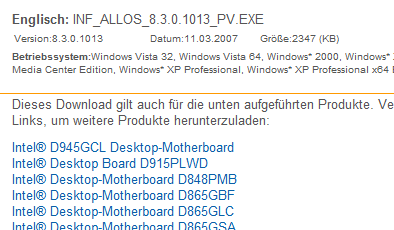
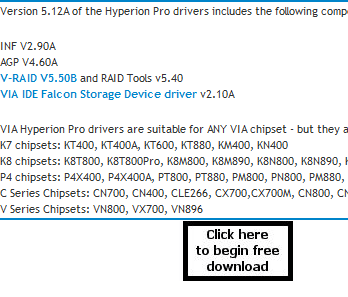
VIA: Open the page http://www.viaarena.com/default.aspx?PageID=2 and select your Operating system. Under Chipset and Platform driver you can also download the new VIA Hyperion drivers for your VIA chipset!
I also generally recommend that you visit the page www.guru3d.com or their download section http://downloads.guru3d.com/ to search for "Mainboard Driver"! Here you will always find the latest version and in some cases even drivers that have not yet been published.
In any case: Only with a chipset driver is the maximum of functionality, stability and Performance out of your mainboard! You should always carry out the installation directly after the Windows Vista setup.
NOTE FOR NEW PUBLICATION: This article was produced by Sandro Villinger and comes from the Windows Tweaks archive, which has been built up since the late 1990s.

On Windows Tweaks you will find time-saving tech guides for PC, software & Microsoft. For a stress-free digital everyday life. Already We have been tweaking Windows since 1998 and just don't stop!
