


Quick overview:
Many problems with burning and recognizing blanks or CDs in general are caused by the ageing firmware. The manufacturer usually offers very recent updates that should solve the known problems with the drive. A firmware update is not as dangerous as a BIOS update, but you should proceed carefully and calmly when updating the software, otherwise the CD burner may be damaged. Although it is very unlikely (as likely as a lightning strike), a power failure or a defective source file, for example, can damage the software, which may render the drive unusable. Proceed as follows:
(In the Device Manager, you can double-click directly on your drive and find out the "Firmware" number here - this will tell you whether you need the update)
Keeping the CD/DVD drive up to date
1. Open the page http://forum.firmware-flash.com/dl_all.php and select your CD/RW, CD or DVD drive/writer. If no firmware is available for your drive, it is usually sufficient to enter "Firmware drive designation" (in my example "Firmware Sony CRX-140E"). If you do not know the exact name of your drive, just take a look at the "Device Manager" in Windows or in the PC manual.
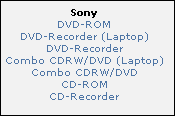
The name is also briefly displayed when the PC boots up! Alternatively, you can visit the manufacturer's website, e.g. www.sony.com, and search for your drive here in the download section.
2. The download usually consists of an .EXE file which you execute by double-clicking. In some cases, the update is also carried out via DOS, which is why you should have either a DOS start disk or a Windows 98/Me installation CD to hand. Now copy the firmware files onto a separate floppy disk or into a folder (short name such as "CD-ROM") - but only if the target drive has the FAT32 file system, as the DOS mode of the boot floppy disks and the boot CD of Windows 98/Me does not have a NTFS-drives are supported. Print out the enclosed firmware readme and follow these instructions later.
The following Link (steps 1-6) will help you!
Select here "Start computer with CD-ROM support" and wait until you are in pure DOS mode.
If you do not have a boot diskette or Windows 98/Me CD at hand, the following will certainly help you Link!
(For boot disks, you must set the "Boot Sequence" to A:.
In DOS mode, simply enter "cd CD-ROM" to access the directory. Now type "dir" to view the contents of the directory (DIRectory).
Now enter the name of the firmware ".exe", ".bat" or ".com" to start the setup program: Now follow the instructions in the readme file!
NOTE FOR NEW PUBLICATION: This article was produced by Sandro Villinger and comes from the Windows Tweaks archive, which has been built up since the late 1990s.

On Windows Tweaks you will find time-saving tech guides for PC, software & Microsoft. For a stress-free digital everyday life. Already We have been tweaking Windows since 1998 and just don't stop!
