


Quick overview:
When starting the installation of an application such as WebCam Software or O&O Defrag V4, the wizard suddenly stops. The welcome screen either does not let you make a selection (the Next and Cancel buttons cannot be selected or are grayed out) or the setup does not start after the obligatory message InstallShield prepares the... the screen remains blank. You do not get more than the typical hourglass after starting the setup. You can solve the problem as follows:
Option 1: Download and install the Microsoft Installer 2.0, which brings the Windows installation routine up to date with the latest technology.
Option 2: The InstallShield routine could also cause problems for you if applications such as Office are not properly uninstalled. In the registry, a false key is stored for aborted de-/installations, which causes problems when called again. This key must now be corrected:
1. Click on "Start/Execute" and type "regedit" in.
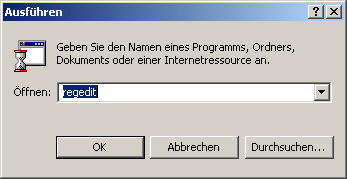
2. Navigate to the key "HKEY_CURRENT_USER\Software\ Microsoft\Windows\CurrentVersion\Explorer\Shell Folders" and double-click on the entry "recent".
If it is not there, enter the entry "C:\My Documents" (or the path to the My Documents on your computer).
Repeat this step for the "HKEY_CURRENT_USER\Software\Microsoft\Windows\CurrentVersion\Explorer\User Shell Folders".
Option 3: Even turning off the Windows Installer service through applications or your own actions can prevent the installation of programs. Turn it back on as follows:
1. Click on Start/Settings/System control/Administration/Services whereupon you will find the large list of services.
2. Now double-click on the service Windows Installerwhich you will find at the bottom and set its Start type on Automatic.
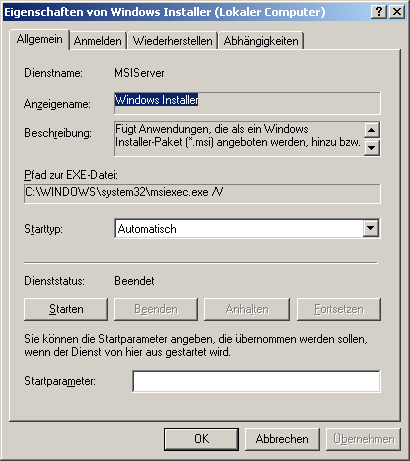
After a restart, you should be able to install your applications again!
Option 4: I received a tip from Sebastian Clausen that deleting a specific InstallShield folder also solved the installation problem. If the files required by the setup are not present or are corrupted, or if they have invalid version numbers, the deleted folder in the affected setup is completely rebuilt with the correct files. This results in the desired success:
Open the Explorer the folder C:\Program Files\Common Files\InstallShield and delete the subdirectory Professional.
Option 5: Mr. Janzen informed me by email that there is another option: the Windows installer can be completely reinstalled into the system or re-registered. And here's how to proceed:
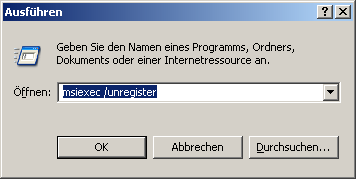
1. Click on Start/Execute and type msiexec /unregister on. You will see an hourglass and hear the hard disk working briefly. The installer is now completely unbound for the time being!
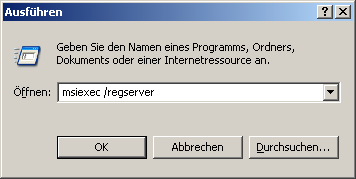
2. Now tap under Execute the command msiexec /regserver to fully integrate MSI back into the system.
I would like to thank everyone who helped and hope that the installation problems are finally a thing of the past!
NOTE FOR NEW PUBLICATION: This article was produced by Sandro Villinger and comes from the Windows Tweaks archive, which has been built up since the late 1990s.

On Windows Tweaks you will find time-saving tech guides for PC, software & Microsoft. For a stress-free digital everyday life. Already We have been tweaking Windows since 1998 and just don't stop!

 Deutsch
 English