


Quick overview:
If you right-click on the workstation and select Properties, basic information about your computer will appear: processor, memory, operating system, company and user name. However, the last two can be customized according to your own wishes, for example if you sell or give away your computer. To change this data, proceed as follows:
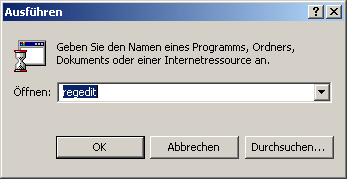
1. Click in succession on Start/Execute and type in the command line that appears regedit button. The editor for editing the Windows registry.
2. Wind your way through the paths HKEY_LOCAL_MACHINE\SOFTWARE\ Microsoft\Windows NT\CurrentVersion and in the right-hand pane view the entries RegisteredOrganization and RegisteredOwner.

3. If you now double-click on these entries, you will be given the opportunity to change your name and company. Further up under ProductName you will be given the option to change the operating system name. The system properties could now look like this.
NOTE FOR NEW PUBLICATION: This article was produced by Sandro Villinger and comes from the Windows Tweaks archive, which has been built up since the late 1990s.

On Windows Tweaks you will find time-saving tech guides for PC, software & Microsoft. For a stress-free digital everyday life. Already We have been tweaking Windows since 1998 and just don't stop!
