


Quick overview:
The writing on the monitor is blurred and the image flickers. Many computer users are often powerless in the face of this eye-damaging daily routine, as the purchase of a new device is usually very expensive.
In almost all cases, a poorly adjusted monitor is the cause of poor picture quality or a low Refresh rate.
Adjust the refresh rate to the respective monitor
It is possible that the refresh rate is set too high. Some monitors display the picture with a clear loss of sharpness at the maximum values. If possible, you should reduce this to 85 HZ. Values below this are perceived by the eye as clear flickering and are just as damaging as a blurred display.
1. Right-click on the desktop and select Properties. Now switch to the tab Properties and click on the button Further options. Here you set under Graphics card the refresh rate to 85 Hzwhich is a good compromise between flicker-free picture and picture quality.
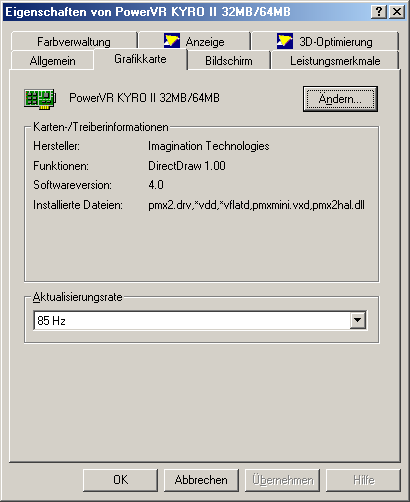
If you already have 85Hz here, you have no choice but to lower the resolution by one level to increase the picture sharpness and quality.
Check the connection cables
Check whether the connection cable to the monitor has kinks, is not plugged in correctly or is even damaged.
If your monitor has such a connection, you can access BNC (Bayonet Chell) cable, as these have a better image definition. On the back of your monitor you should 5 silver sockets to be found.
NOTE FOR NEW PUBLICATION: This article was produced by Sandro Villinger and comes from the Windows tweaks archive, which has been built up since the late 1990s.

On Windows Tweaks you will find time-saving tech guides for PC, software & Microsoft. For a stress-free digital everyday life. Already We have been tweaking Windows since 1998 and just don't stop!

 Deutsch
 English