


Quick overview:
Wir möchten Ihnen heute wieder ein etwas verstecktes Feature in Windows Vista präsentieren, welches doch sehr nützlich ist. Es handelt sich dabei um die Möglichkeit, die Größe der Desktopsymbole schnell zu ändern.
[Von Raimund Machacek]
Um die Größe der Desktopsymbole zu ändern, schließen oder minimieren sie alle offenen Fenster, bis Sie am Desktop sind. Halten Sie dann die "Strg"-Taste gedrückt und drehen Sie am Mausrad.
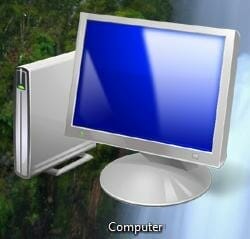
Sie können nun die Größen von sehr groß bis sehr klein ändern. Zum Abschluss möchte ich Ihnen noch die größte bzw. die kleinste Einstellung zeigen:


Hello & welcome 👋
On Windows Tweaks you will find time-saving tech guides for PC, software & Microsoft. For a stress-free digital everyday life. Already We have been tweaking Windows since 1998 and just don't stop!
On Windows Tweaks you will find time-saving tech guides for PC, software & Microsoft. For a stress-free digital everyday life. Already We have been tweaking Windows since 1998 and just don't stop!
New Windows Guides

