


Quick overview:
Viele Probleme beim Brennen und der Erkennung von Rohlingen oder allgemeinen CDs wird von der Altersschwäche der Firmware verursacht.Der Hersteller bietet meist sehr neue Aktualisierungen an, die die bekannten Probleme mit dem Laufwerk beheben sollten. Ein Firmware-Update ist zwar nicht so gefährlich wie ein BIOS-Update, jedoch sollte man vorsichtig und ruhig an die Aktualisierung der Software gehen, da sonst der CD-Brenner beschädigt werden kann. Es ist zwar sehr unwahrscheinlich (so wahrscheinlich wie ein Blitzschlag), doch z.B. bei Stromausfall oder einer defekten Quelldatei kann die Software Schäden davon tragen, was das Laufwerk unter Umständen unbrauchbar macht. Folgendermassen gehen Sie vor:
(In the device manager, you can double-click directly on your drive and find out the "firmware" number here - this will tell you whether you need the update)
1. Open the page http://forum.firmware-flash.com/dl_all.php and select your CD/RW, CD or DVD drive/writer. If no firmware is available for your drive, it is usually sufficient to enter "Firmware drive name" in www.google.de (in my example "Firmware Sony CRX-140E"). If you do not know the exact name of your drive, just take a look at the "Device Manager" in Windows or the PC manual.
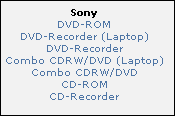
Auch beim Hochfahren des PCs wird kurz die Bezeichnung eingeblendet! Alternativ können Sie die Herstellerseite wie z.B. www.sony.com besuchen und hier in der Downloadabteilung nach Ihrem Laufwerk fahnden.
2. Der Download besteht meist aus einer .EXE-Datei, die Sie per Doppelklick ausführen. In manchen Fällen erfolgt die Aktualisierung auch über DOS, weshalb Sie entweder eine DOS-Startdiskette oder eine Windows 98/Me Installations-CD parat haben sollten. Kopieren Sie sich nun die Firmware-Dateien auf eine separate Diskette oder in einen Ordner (kurzer Name wie z. B. "CD-ROM"). Drucken Sie sich die beigelegte Firmware-Readme aus und handeln Sie später nach dieser Anleitung.
Folgender Link (Schritt 1-6) hilft Ihnen weiter!
Select "Start computer with CD-ROM support" and wait until you are in DOS-only mode.
Sollten Sie keine Bootdiskette oder Windows 98/Me CD parat haben, hilft Ihnen sicherlich die Erstellung der eigenen Bootdiskette: Klicken Sie in der Systemsteuerung auf Software/Startdiskette und klicken Sie auf Diskette erstellen.... Folgen Sie nun den Anweisungen und starten Sie Ihren Rechner mit dieser Diskette.
(Bei Bootdisketten müssen Sie im BIOS die "Boot Sequence" auf A: stellen.)
In DOS mode, simply enter "cd CD-ROM" to access the directory. Now type "dir" to view the contents of the directory (DIRectory).
Now enter the name of the firmware ".exe", ".bat" or ".com" to start the setup program: Now follow the instructions in the readme file!
NOTE FOR NEW PUBLICATION:This article was produced by Sandro Villinger and comes from the Windows Tweaks archive, which has been built up since the late 1990s.

On Windows Tweaks you will find time-saving tech guides for PC, software & Microsoft. For a stress-free digital everyday life. Already We have been tweaking Windows since 1998 and just don't stop!
